Visão Geral
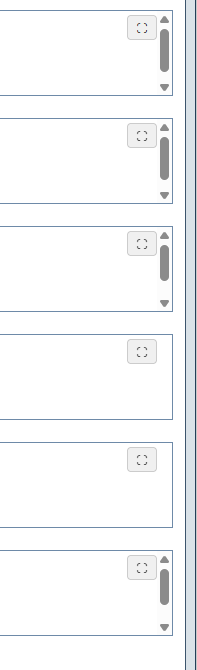
Os campos do tipo “TextBox” com a propriedade “Multinha” marcada, permitem ao usuário digitar textos mais longos e preservar as quebras de linha.
Eles são muito usados para campos de texto com comprimento mediano, como anotação, observações, descrição etc.
Mas em alguns casos, esse tipo de campo também usado para editar conteúdos mais longos, como artigos de blog e códigos de programação. Nestes casos, pode ficar difícil trabalhar com um campo em tamanho reduzido, e nem redimensionar o componente no Formulário é a melhor opção.
Solução
Para facilitar o trabalho em campos TexBox de edição de textos muito longos, criei este Plugin JavaScript capaz de adicionar o comportamento de Tela Cheia nos campos “Multilinha”.
Arquivo JavaScript
Adicione este arquivo JavaScript no Formulário ou no JavaScript público do ambiente:
var TextareaFullscreen = (function () {
    var cssInjected = false;
    var _originalWindowRect = null;

    function injectStyles() {
        if (cssInjected) return;
        var css =
            '.textarea-fs-wrapper { position: fixed !important; top: 0 !important; left: 0 !important; width: 100vw !important; height: 100vh !important; z-index: 99999 !important; background: #fff !important; box-sizing: border-box !important; padding: 45px 10px 10px 10px !important; } ' +
            '.textarea-fs-wrapper textarea { width: 100% !important; height: 100% !important; resize: none !important; border: 1px solid #ccc !important; box-sizing: border-box !important; } ' +
            '.fs-title { display: none; position: absolute; top: 12px; left: 10px; font-family: sans-serif; font-size: 16px; font-weight: bold; color: #444; z-index: 100001; } ' +
            '.textarea-fs-wrapper .fs-title { display: block; } ' +
            '.fullscreen-btn { position: absolute; top: 5px; right: 16px; z-index: 100000; cursor: pointer; background: #f0f0f0; border: 1px solid #ccc; border-radius: 4px; padding: 2px 8px; font-size: 14px; color: #333; } ' +
            '.fullscreen-btn-fixed { position: fixed !important; top: 10px !important; right: 10px !important; } ' +
            '.latromi-textarea-container { position: relative; display: block; } ' +
            'body.no-scroll { overflow: hidden !important; }';

        var style = document.createElement('style');
        style.type = 'text/css';
        if (style.styleSheet) { style.styleSheet.cssText = css; }
        else { style.appendChild(document.createTextNode(css)); }
        document.getElementsByTagName('head')[0].appendChild(style);
        cssInjected = true;
    }

    function changeRadWindowState(isFullscreen) {
        if (typeof GetRadWindow !== 'function') return;
        var radWindow = GetRadWindow();
        if (!radWindow) return;

        var currentAnim = radWindow.get_animation();
        radWindow.set_animation(0);

        if (isFullscreen) {
            _originalWindowRect = { w: radWindow.get_width(), h: radWindow.get_height(), t: radWindow.get_top(), l: radWindow.get_left() };
            if (!radWindow.isMaximized()) radWindow.maximize();
        } else {
            if (radWindow.isMaximized()) {
                radWindow.restore();
                if (_originalWindowRect) {
                    radWindow.set_width(_originalWindowRect.w);
                    radWindow.set_height(_originalWindowRect.h);
                    radWindow.set_top(_originalWindowRect.t);
                    radWindow.set_left(_originalWindowRect.l);
                }
            }
        }
        setTimeout(function() { radWindow.set_animation(currentAnim); }, 100);
    }

    function toggle(wrapper, textarea, btn) {
        var isFullscreen = wrapper.className.indexOf('textarea-fs-wrapper') === -1;

        if (isFullscreen) {
            wrapper.className += ' textarea-fs-wrapper';
            btn.className += ' fullscreen-btn-fixed';
            document.body.className += ' no-scroll';
            btn.innerHTML = '✕';
            textarea.focus();
        } else {
            wrapper.className = wrapper.className.replace(' textarea-fs-wrapper', '');
            btn.className = btn.className.replace(' fullscreen-btn-fixed', '');
            document.body.className = document.body.className.replace(' no-scroll', '');
            btn.innerHTML = '⛶';
        }
        changeRadWindowState(isFullscreen);
    }

    function setupEvents(wrapper, textarea, btn) {
        btn.onclick = function (e) {
            if (e && e.preventDefault) e.preventDefault();
            toggle(wrapper, textarea, btn);
            return false;
        };

        var handler = function (e) {
            e = e || window.event;
            var isEsc = (e.keyCode === 27 || e.key === 'Escape');
            var isAltEnter = (e.keyCode === 13 && e.altKey);

            if (isEsc || isAltEnter) {
                if (wrapper.className.indexOf('textarea-fs-wrapper') !== -1 || isAltEnter) {
                    toggle(wrapper, textarea, btn);
                }
                if (e.preventDefault) e.preventDefault();
                if (e.stopPropagation) e.stopPropagation();
                if (e.stopImmediatePropagation) e.stopImmediatePropagation();
                return false;
            }
        };

        if (textarea.addEventListener) { textarea.addEventListener('keydown', handler, true); }
        else { textarea.attachEvent('onkeydown', handler); }
    }

    return {
        attach: function (idOrElement, customLabel) {
            var textarea = typeof idOrElement === 'string' ? document.getElementById(idOrElement) : idOrElement;
            if (!textarea || textarea.getAttribute('data-fs-ready')) return;

            injectStyles();

            var wrapper;
            if (textarea.parentNode && textarea.parentNode.id === (textarea.id + '_wrapper')) {
                wrapper = textarea.parentNode;
                if (wrapper.className.indexOf('latromi-textarea-container') === -1) {
                    wrapper.className += ' latromi-textarea-container';
                }
            } else {
                wrapper = document.createElement('div');
                wrapper.className = 'latromi-textarea-container';
                textarea.parentNode.insertBefore(wrapper, textarea);
                wrapper.appendChild(textarea);
            }

            // --- Lógica do Título ---
            var labelText = customLabel;
            if (!labelText) {
                // Tenta buscar a label padrão vinculada ao campo (comum em Latromi/Telerik)
                var labelEl = document.querySelector('label[for="' + textarea.id + '"]');
                labelText = labelEl ? labelEl.innerText || labelEl.textContent : "";
            }

            var titleEl = document.createElement('div');
            titleEl.className = 'fs-title';
            titleEl.innerText = labelText;
            wrapper.appendChild(titleEl);
            // ------------------------

            var btn = document.createElement('button');
            btn.innerHTML = '⛶';
            btn.className = 'fullscreen-btn';
            btn.type = 'button';
            btn.title = 'Tela Cheia (Alt+Enter)';
            wrapper.appendChild(btn);

            setupEvents(wrapper, textarea, btn);
            textarea.setAttribute('data-fs-ready', 'true');
        }
    };
})();
Inicializando o Plugin
Para inicializar o plugin, e adicionar o comportamento ao campo desejada, use o código a seguir:
// Adiciona Callback para evento de inicialização do Formulário
latromi.formManager.setOnFormCreatedCallback(function (ev) {
    // Captura o "ID" do elemento correspondente ao campo (sem garantia do tipo de elemento)
    const commandInputId = ev.form.fields['txtMultilinha'].clientId;
    // Busca um elemento do tipo "TextArea" a partir do ID obtido
    const textArea = document.querySelector('textarea#' + commandInputId + ', #' + commandInputId + ' textarea');

    // Ativa o recurso "Fullscreen"
    if (textArea)TextareaFullscreen.attach(textArea);
});
Este código faz o seguinte:
-
Adiciona um callback (função de escuta) para quando o Formulário estiver completamente carregado no navegador (evento capturado com
setOnFormCreatedCallback) -
Captura o elemento textarea associado ao campo chamado “txtMultilinha” (substitua “txtMultilinha” pelo nome do seu campo no Formulário).
-
Adiciona o comportamento de tela cheio chamando a função
TextareaFullscreen.attach(...)do plugin.
Resultado
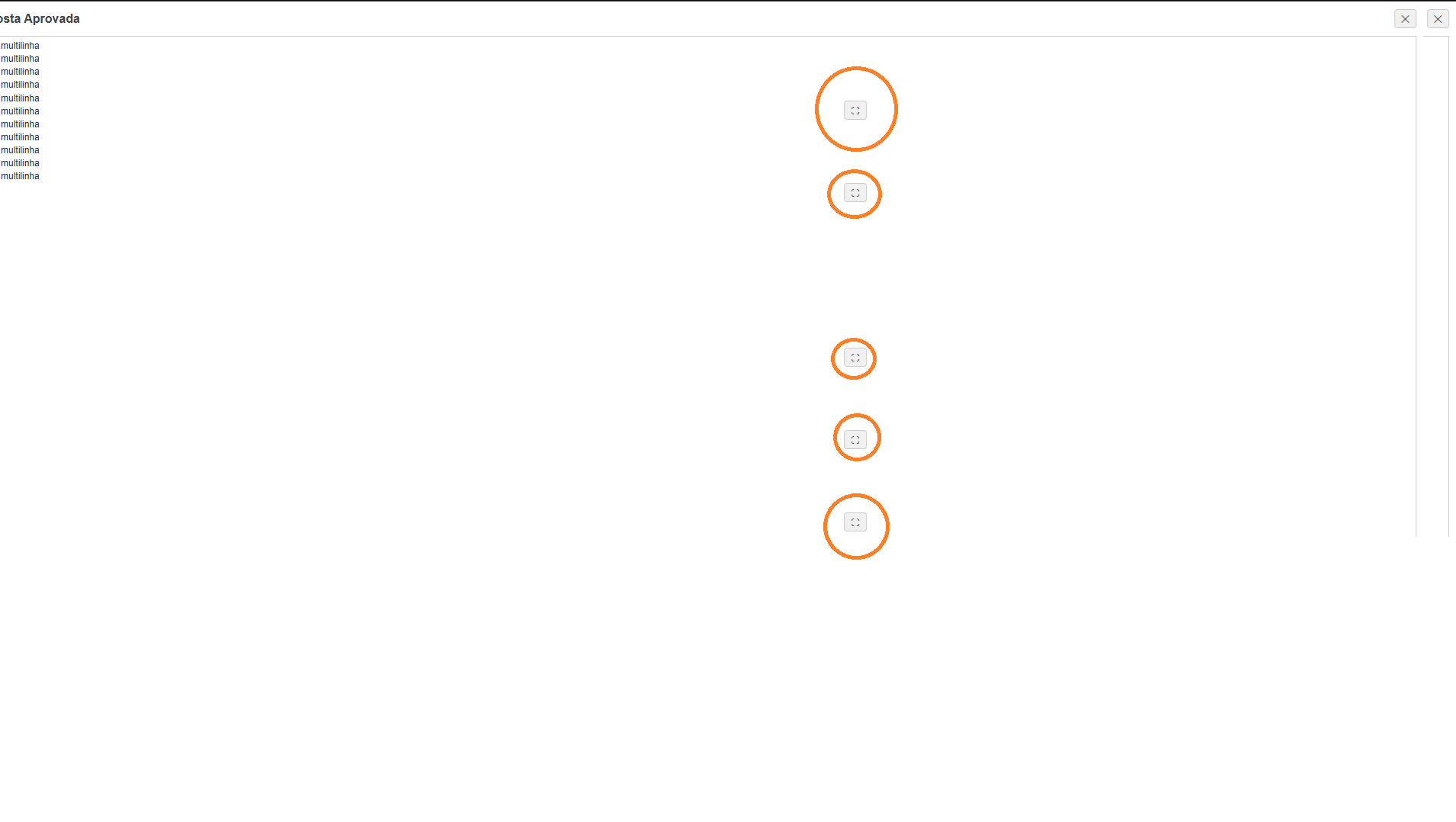
Ao usar este plugin, será adicionado um botão flutuante para ativar o modo tela cheia. Ao clicar neste botão, o campo de texto vai ocupar toda a tela, e caso o Formulário esteja sendo aberto em uma janela Popup, ela também será maximizada.
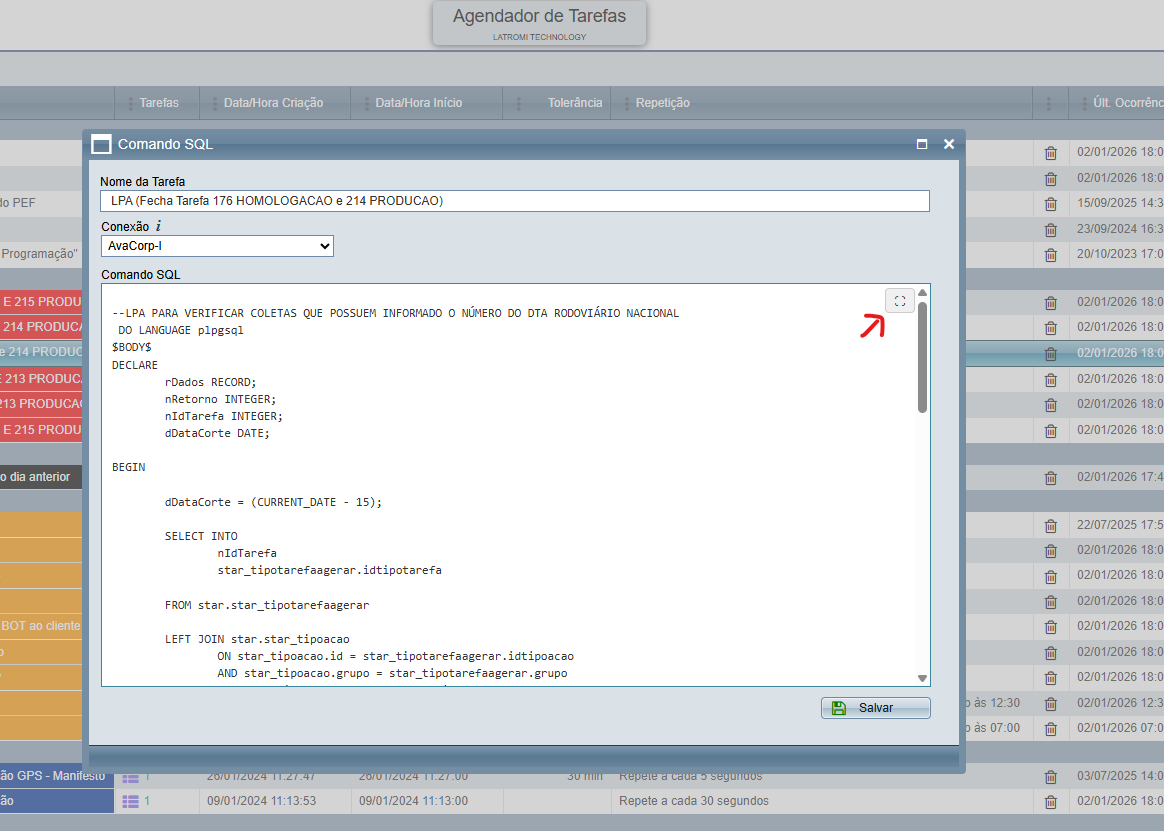
O modo tela cheia também pode ser ativado com a tecla de atalho ALT+ENTER e desativada com a tecla ESC.